If you have ever opened a production folder and wondered why every page carries a cryptic string of letters and numbers in the footer, you are looking at the backbone of litigation document control. Understanding what is Bates numbering in eDiscovery means understanding how parties keep track of millions of pages without losing a single one. This guide breaks down the definition, structure, formats, and practical workflow so you can confidently manage productions from intake through trial.
What Is Bates Numbering in eDiscovery? A Clear Definition
Bates numbering is the practice of assigning a unique identifier — typically a combination of letters and sequential digits — to every page in a document production. The identifier is stamped onto each page, usually in the lower-right or lower-left margin, and becomes the permanent reference point for that page throughout the litigation lifecycle.
The Bates stamping definition traces back to the Bates Manufacturing Company, which produced hand-operated numbering machines in the late 19th century. Attorneys would stamp each page with consecutive numbers using ink and a mechanical stamp. Today the process is almost entirely digital, handled by eDiscovery platforms, PDF stamping tools, and litigation support software, but the core concept is unchanged: every page gets a unique, sequential label.
The Bates number meaning litigation context is straightforward — it is a page-level identifier that allows every person in the case (attorneys, paralegals, judges, opposing counsel, court reporters) to locate and reference the exact same page without ambiguity. When an attorney says "see Smith deposition exhibit 14, Bates SMITH-000123," there is no confusion about which document is being referenced.
What a Bates Number Actually Identifies
A Bates number identifies a single page, not a single document. This is a critical distinction. A 10-page contract receives 10 unique Bates numbers, one per page. If that contract is later produced again in a supplemental production, those same pages may carry new Bates numbers in the supplemental range, while the original numbers remain unchanged in the first production.
Why Bates Numbering Is Critical in eDiscovery
In modern litigation, document productions routinely involve hundreds of thousands or millions of pages. Without a standardized identification system, referencing specific documents during depositions, motions, briefs, and trial would be chaotic. Bates numbering provides the common language that makes orderly litigation possible.
Establishing a Chain of Custody
Bates numbers create an auditable trail. When a document is collected, processed, reviewed, and produced, the Bates number ties that page to a specific production set, a specific producing party, and a specific date of production. This chain of custody is essential for authentication under the Federal Rules of Evidence and for resolving disputes about what was produced and when.
Supporting Deposition and Trial References
During depositions, every exhibit is identified by its Bates number. The court reporter's transcript references those numbers, and the deposition video syncs to them. At trial, exhibits are again referenced by Bates number. Without this system, cross-referencing a deposition transcript to the underlying document would require manual matching by content — an impossible task at scale.
Meeting Discovery Obligations
Federal Rule of Civil Procedure 34(b)(2)(E) requires that produced documents be organized and labeled to correspond to the categories in the discovery request. Bates numbering is the mechanism that satisfies this requirement. Most protective orders and case management orders explicitly require Bates numbering, and many specify the prefix convention the parties must use.
For a deeper dive into the mechanics, our how to Bates number PDFs for discovery production walkthrough covers the step-by-step process.
How Bates Numbers Are Structured and Applied
Understanding how does Bates numbering work requires looking at both the structure of the number itself and the technical process of applying it.
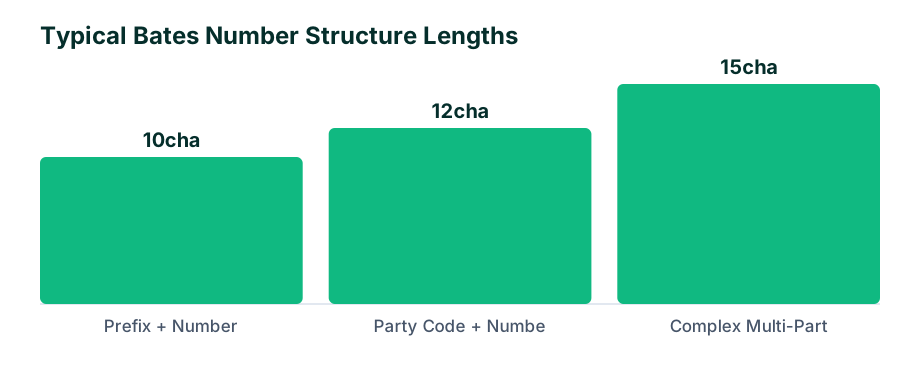
Anatomy of a Bates Number
A typical Bates number has three components:
- Prefix: Identifies the producing party or custodian (e.g., "SMITH" for John Smith's documents, "ACME" for ACME Corp's production)
- Sequential number: A zero-padded number, usually 6 or 7 digits, ensuring consistent width (e.g., 000001 through 999999)
- Suffix (optional): Sometimes used for additional categorization, such as "CONF" for confidential documents or "PROT" for protected material
For example, "ACME-000123" tells you this is page 123 of ACME Corporation's production. "ACME-000124-CONF" indicates the next page is designated confidential.
How Bates Numbers Are Applied
In a typical eDiscovery workflow, Bates numbers are applied during the production phase, after review and redaction are complete. The process works as follows:
- Documents are processed and converted to a production format (TIFF or PDF)
- Redactions are applied and burned into the image
- The production load file is generated, mapping each Bates number to its metadata
- Bates numbers are stamped onto each page, typically in the bottom-right corner
- A metadata field captures the Bates range for each document (begin and end Bates)
- The production is delivered to opposing counsel via a load file (Concordance, Relativity, or similar) plus the image files
The stamping itself is handled by eDiscovery software (Relativity, Everlaw, Reveal, Logikcull) or dedicated PDF tools. For smaller productions, paralegals may use Adobe Acrobat or a specialized tool like BatesStamp to apply numbers directly to PDF files.
Bates Numbering vs. Exhibit Stickers: Knowing the Difference
Paralegals new to litigation support often conflate Bates numbers with exhibit stickers. They serve different purposes and are applied at different stages of the eDiscovery document production basics workflow.
| Aspect | Bates Numbers | Exhibit Stickers |
|---|---|---|
| Purpose | Unique page-level identifier across entire production | Marks a document as an exhibit for a specific proceeding |
| When applied | During document production, before delivery | During deposition, hearing, or trial preparation |
| Format | Alphanumeric, sequential, standardized | Physical or digital labels (e.g., "Plaintiff's Exhibit 1," "D-14") |
| Permanence | Permanent — stamped on every page | Applied to first page or cover sheet of the exhibit |
| Scope | Every page in the production | Only documents being used as exhibits |
A single document may carry both a Bates number and an exhibit sticker. For example, a contract might be Bates-stamped as "ACME-000456 through ACME-000465" and then marked as "Plaintiff's Exhibit 7" for a deposition. The Bates number identifies the page within the production; the exhibit sticker identifies the document within the proceeding.
When to Use Each
- Use Bates numbers for all produced documents, always
- Use exhibit stickers when preparing deposition or trial exhibits
- Exhibit stickers reference Bates numbers — the exhibit label typically includes the Bates range for cross-reference
Common Bates Numbering Formats in Litigation Production
There is no single universal format, but conventions have emerged through practice and local rules. Understanding these formats helps you interpret productions you receive and design your own Bates labeling legal documents system.
Standard Party-Prefix Format
The most common format is a party identifier followed by a sequential number:
- DEF-000001 — Defendant's production
- PLTF-000001 — Plaintiff's production
- THIRD-000001 — Third party production
Custodian-Based Format
Some cases use custodian-based prefixes, especially in large matters with many custodians:
- SMITH_J-000001 — John Smith's documents
- JONES_M-000001 — Mary Jones' documents
Date-Embedded Format
Less common but used in some regulatory or government matters:
- 2026-000001 — Sequential number with year prefix
Multi-Party or Rolling Production Format
In complex litigation with rolling productions, parties often include a production number:
- ACME-P1-000001 — ACME's first production
- ACME-P2-000001 — ACME's second production
Confidentiality Designations
Many protective orders require confidentiality labels to be embedded in or adjacent to the Bates number:
- ACME-000001-CONF — Confidential
- ACME-000001-PROT — Protected (attorneys' eyes only)
- ACME-000001-HC — Highly confidential
Choosing a Format for Your Production
When selecting a format, consider:
- The case management order or protective order requirements
- The number of custodians and productions expected
- Whether opposing counsel has agreed on a convention
- The volume of documents (7-digit padding for productions expected to exceed 999,999 pages)
For more on production workflow and tooling, browse the BatesStamp blog for additional guides.
What Happens When Documents Are Missing Bates Numbers
Receiving a production with missing or inconsistent Bates numbers is a common problem in litigation support. It creates immediate workflow issues and can escalate to motion practice if not resolved.
Common Problems
- Gaps in the sequence: Numbers skip from ACME-000150 to ACME-000155, raising questions about whether pages were withheld
- Duplicate numbers: Two pages carry the same Bates number, causing confusion in references
- No Bates numbers at all: Native files produced without stamped images
- Inconsistent prefixes: The same party uses different prefixes across productions
- Missing suffixes: Confidential documents not labeled as required by the protective order
How to Address Missing Bates Numbers
When you identify gaps or missing numbers, take these steps:
- Document the issue immediately — note the specific Bates range and the nature of the problem
- Check the production letter and load file — the producing party may have flagged the issue or explained the gap (e.g., privileged documents withheld)
- Inform the supervising attorney — gaps may warrant a meet-and-confer or a motion to compel
- Do not renumber — never apply your own Bates numbers to a production you received; this destroys the producing party's identification system
- Track the gap in your case management system — unresolved gaps should be logged and followed up in writing
Gaps are not always errors. Privileged documents are often logged on a privilege log with their own Bates range, and the corresponding numbers in the main production are simply skipped. The production letter should explain this, but when it does not, a clarifying email to opposing counsel is appropriate.
When Your Own Production Has Errors
If you discover an error in your own production after delivery, notify opposing counsel immediately. Most jurisdictions require correction of production errors, and the failure to do so can result in sanctions. Common corrections include:
- Supplemental productions with corrected Bates numbers
- Re-stamping affected pages
- A letter explaining the error and the correction applied
Best Practices for Organizing Bates-Stamped Productions
Organizing productions effectively saves time throughout the case. A well-organized production is easier to review, search, and reference during depositions and trial.
Establish a Numbering Protocol Early
Before the first document is produced, agree on the Bates numbering protocol with your team and, if required, with opposing counsel. Document the protocol in a numbering chart that includes:
- The prefix convention for each producing party
- The number of digits (padding)
- Confidentiality suffix conventions
- How privilege documents will be handled (separate range, skipped numbers, or separate log)
Maintain a Master Bates Log
Keep a running log of every production, including:
| Field | Example |
|---|---|
| Production date | June 15, 2026 |
| Producing party | ACME Corp |
| Prefix | ACME-P1 |
| Bates range | ACME-P1-000001 to ACME-P1-005842 |
| Page count | 5,842 |
| Media type | External hard drive / secure file transfer |
| Confidential designations | 1,203 pages marked CONF, 89 pages marked PROT |
| Privilege log entries | 47 entries |
This log becomes invaluable when you need to determine whether a document has been produced, when it was produced, and where to find it.
Use Consistent File Naming and Folder Structure
Organize produced files in a way that mirrors the Bates numbering:
- Top-level folder:
[Production Date]_[Producing Party]_[Prefix] - Subfolders by Bates range (e.g., every 1,000 pages)
- File names matching the begin Bates of each document
This structure makes it easy to locate any document by its Bates number without relying solely on the review platform.
Coordinate with Review Platform Load Files
Ensure your eDiscovery platform's load file accurately maps each document to its Bates range. The load file should include:
- Begin Bates and End Bates for each document
- Family relationships (email threads, attachments)
- Custodian and source information
- Confidentiality designations
- Hash values (MD5 or SHA-1) for deduplication and authentication
Stamp After Redaction, Never Before
Always apply Bates numbers after redactions are burned in. If you stamp first and then redact, the redaction may cover the Bates number, requiring re-stamping and potentially re-production. The correct order is: process, review, redact, burn redactions, apply Bates numbers, generate load file, deliver.
Plan for Supplemental Productions
Supplemental productions happen in nearly every case. Plan for them by:
- Using a production-number suffix in your prefix (ACME-P1, ACME-P2, and so on)
- Never reusing Bates numbers from prior productions
- Maintaining a cumulative master log across all productions
- Including a cover letter that references the prior production it supplements
Train Your Team
Ensure every paralegal and litigation support staff member understands the numbering protocol. A single team member applying the wrong prefix or skipping the confidentiality suffix can create hours of cleanup work. Document the protocol in writing and provide a quick-reference guide.
Frequently asked questions
Is Bates numbering legally required in eDiscovery?
While not a statutory law, Bates numbering is mandated by virtually all court rules and protective orders governing the production of documents in litigation.
What is the difference between Bates numbering and pagination?
Pagination refers to sequential page numbers within a single document, while Bates numbering applies a unique identifier to every page across an entire production set.
Who is responsible for applying Bates numbers?
Typically, the producing party's litigation support staff or paralegals apply Bates numbers using eDiscovery software or PDF stamping tools prior to production.
Can Bates numbers be applied to native files like Excel?
Native files are usually converted to TIFF or PDF format first, and then Bates numbers are applied to the image renditions rather than altering the original native file.